If you have received an offer to sign-up to Junara, this guide will provide the steps on how to complete this process.
Note We are not able to offer new email accounts at this time, only customers who have received an offer to sign-up from their existing service provider will be able to complete this process.
Visit your existing service providers email transfer support page for more information
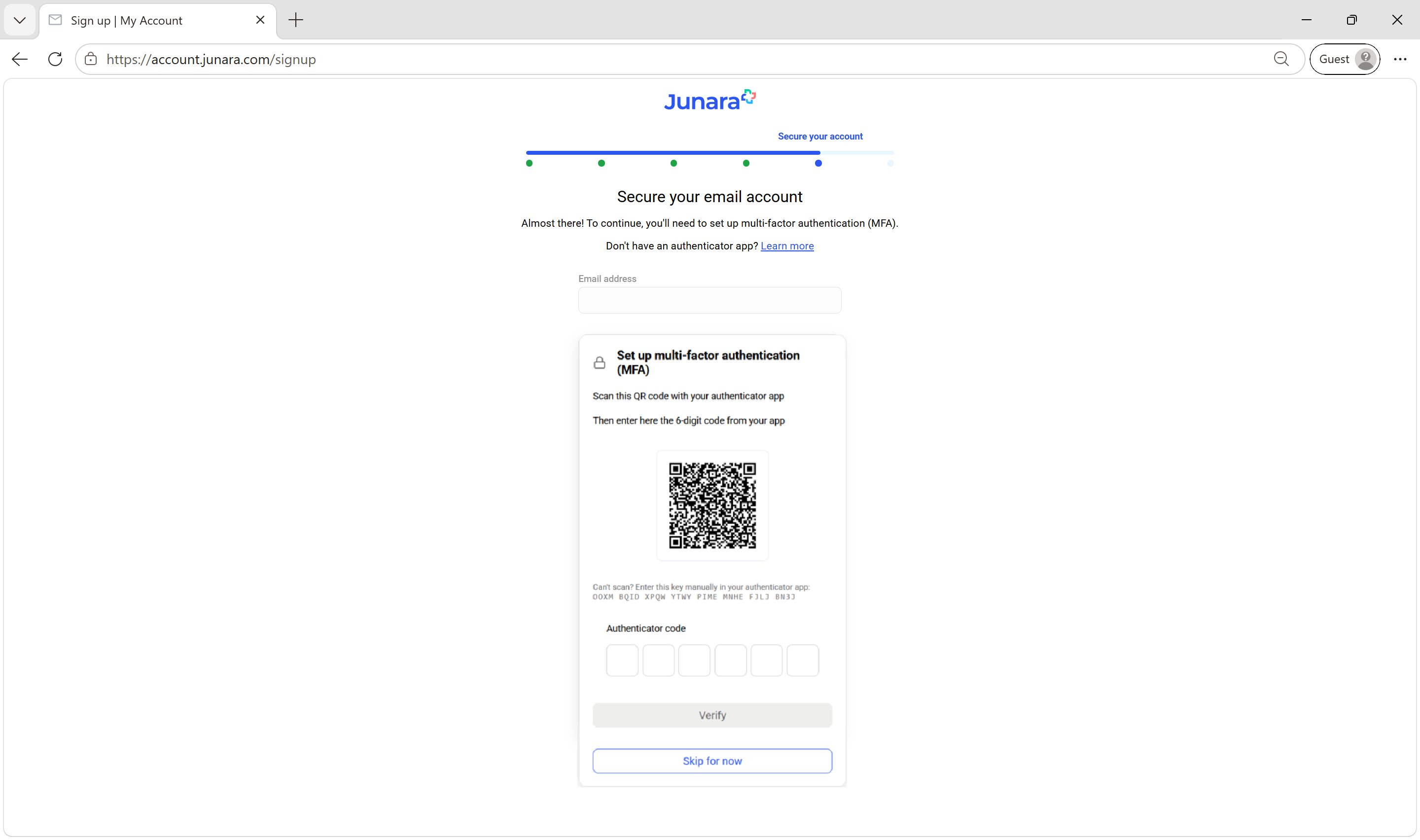
Once the authenticator app is installed, return to the sign-up page and scan the QR code using the app
After scanning the QR code, enter the 6-digit code shown in the authenticator app, then select Verify
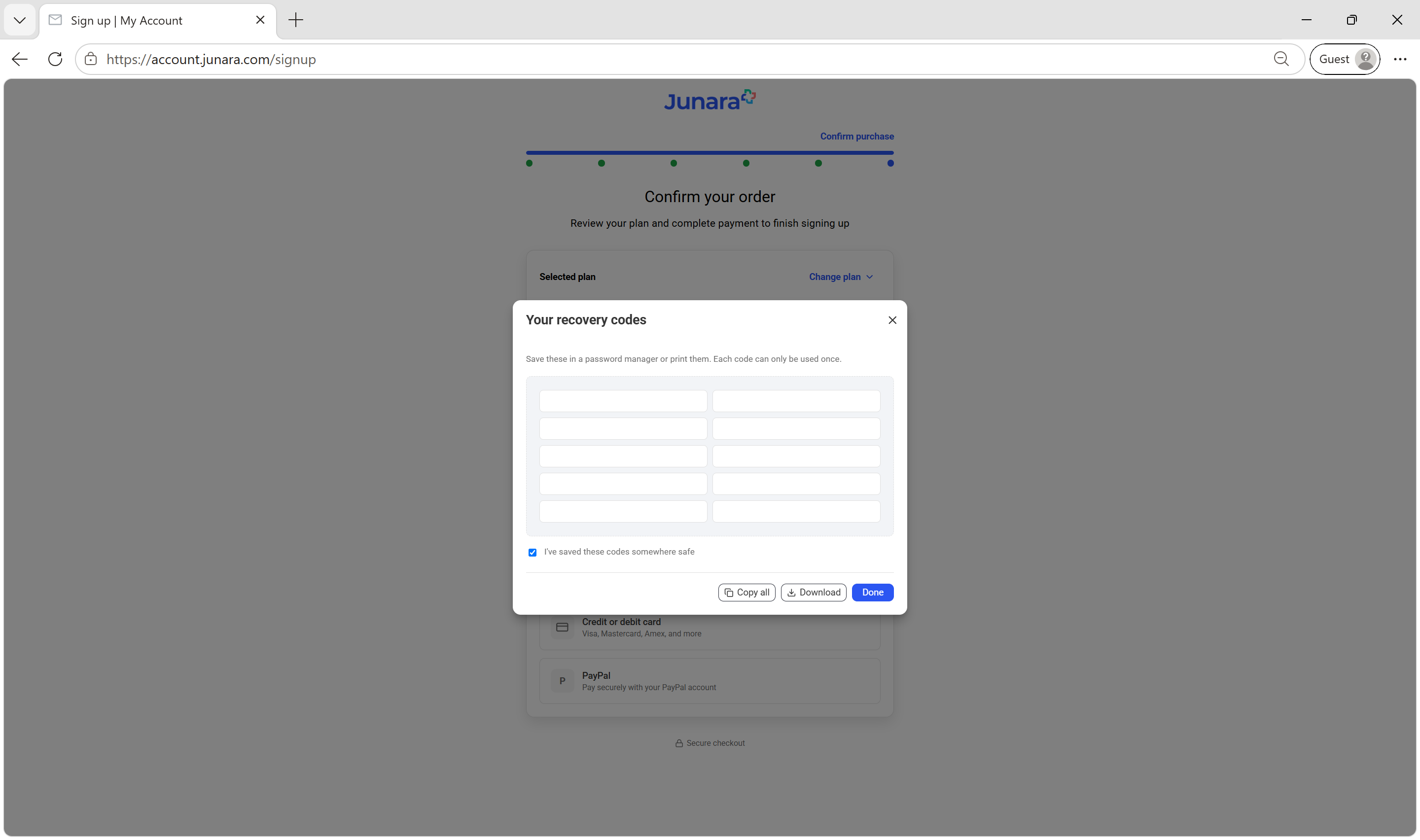
Save the 10 recovery codes in a safe place. Select I've saved these codes somewhere safe then select Done
Select your preferred payment method
If you select Credit or debit card, enter your card details, then select Pay
If you select PayPal, follow the prompts to complete your payment
Please wait while your payment is being processed
If you see Welcome to Junara!, your sign-up is complete A paid invoice will be emailed to you once your payment has been processed Your Account summary will also be displayed